How to Use Binance Exchange: A Beginner's Guide to Trading on Binance

Binance is one of the largest and most popular cryptocurrency exchanges in the world. For beginners, understanding how to use Binance can seem complex, but the process is straightforward once you break it down. This guide provides a clear, step-by-step overview of how to get started with the Binance exchange, from creating an account to making your first trade.
Step 1: Creating and Verifying Your Binance Account
To begin using Binance, you first need to register an account. Visit the official Binance website or download the mobile app. You will need to provide an email address or phone number and a strong password. After registration, Binance requires identity verification, known as KYC (Know Your Customer), to comply with regulations. This involves uploading a government-issued ID and completing a facial recognition scan. Without verification, your account will have limited functionality, such as low withdrawal limits.
Step 2: Securing Your Account
Security is critical in cryptocurrency trading. After logging in, set up two-factor authentication (2FA) using the Google Authenticator app or a similar service. This adds an extra layer of security, making it much harder for hackers to access your account. Additionally, enable anti-phishing codes and whitelist withdrawal addresses to prevent unauthorized transfers.
Step 3: Depositing Funds into Binance
Before trading, you need to deposit funds. Binance allows you to deposit cryptocurrency or fiat currency (like USD or EUR). For crypto deposits, navigate to the "Wallet" section, select "Deposit," choose the specific cryptocurrency (e.g., Bitcoin or Ethereum), and copy the deposit address. For fiat deposits, you can use bank transfers, credit/debit cards, or third-party payment providers. Note that fiat deposits may involve fees and processing times.
Step 4: Understanding the Binance Interface
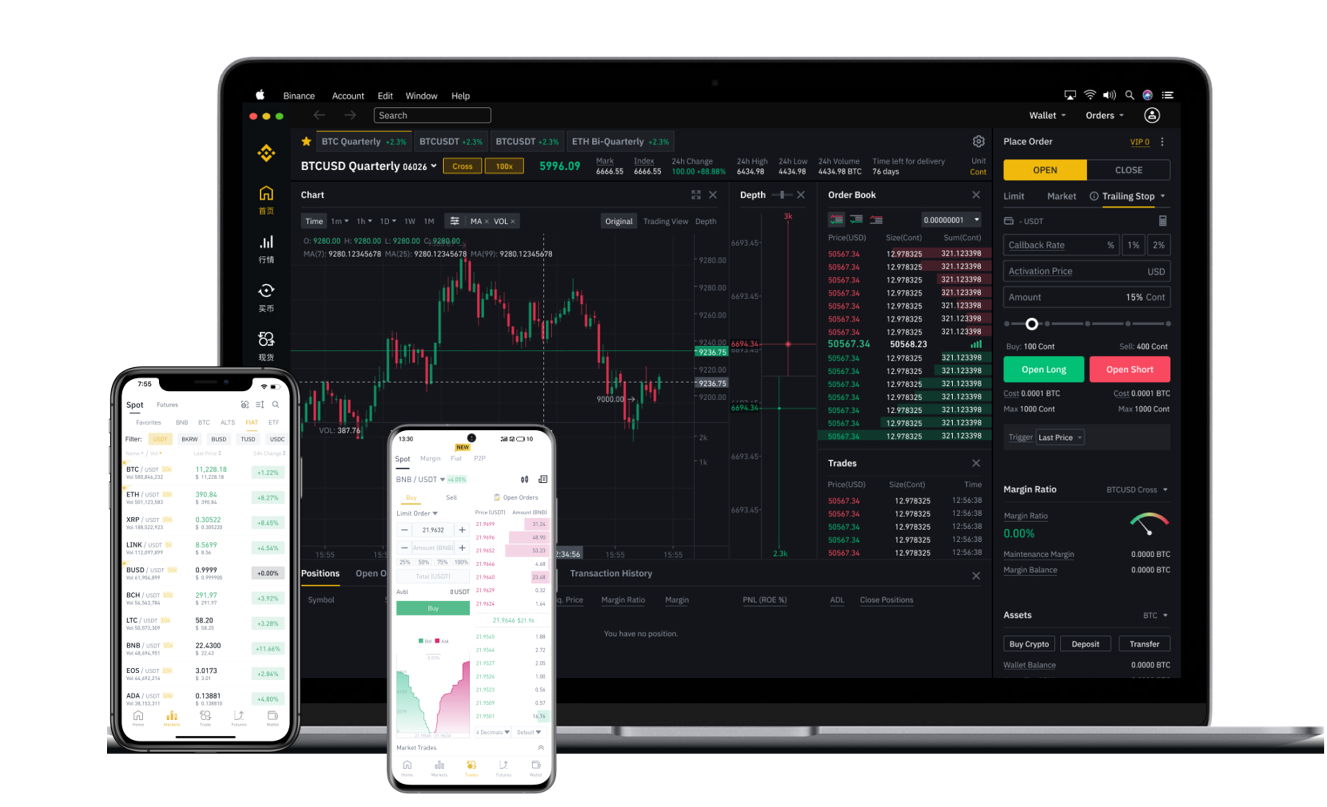
The Binance interface can be overwhelming initially. The main trading view is divided into several sections: a price chart, an order book (showing buy and sell orders), your open orders, and the trading pairs. You can switch between different trading options, including “Spot” trading (buying and selling at current market price) and “Futures” (speculating on price changes with leverage). For beginners, starting with the “Spot” mode is recommended.
Step 5: Making Your First Trade
To place a trade, select a trading pair, such as BTC/USDT (Bitcoin to USDT). You have two main order types: “Market Order” and “Limit Order.” A market order buys or sells immediately at the current market price. A limit order allows you to set a specific price you are willing to buy or sell at, which may take longer to execute. Enter the amount you wish to trade, review the details, and confirm. You can monitor your active orders in the “Open Orders” section.
Step 6: Withdrawing Funds
When you want to move your funds out of Binance, go to the “Wallet” section and select “Withdraw.” Choose the asset, enter the withdrawal address (ensure the network matches, e.g., ERC-20 for Ethereum), and confirm the transaction. Note that withdrawals may require email verification and 2FA. Always double-check the address and network to avoid losing funds.
Key Tips for Beginners on Binance
Start with small amounts to learn the platform. Use the “Binance Academy” section for free educational materials. Avoid using excessive leverage if trading futures, as it can lead to rapid losses. Enable all security features from the start. Finally, be aware of trading fees: Binance offers a default fee that can be reduced by using Binance Coin (BNB) to pay fees or by increasing your trading volume.
By following these steps, you can effectively use Binance to buy, sell, and trade cryptocurrencies. Always remember that cryptocurrency trading involves risk, and it is important to do your own research before making any investment decisions. The platform is powerful, but careful use and ongoing education are essential for success.